

How collaborations work
On JOCOLLA, someone shares a base track and the community adds the missing parts until it becomes a full song. New here? Read this page top to bottom — it only takes a couple of minutes.
Browse collaborationsWhat is a collaboration?
- 1A creator posts a base track (the backing track everything is built on) and lists the parts they need — guitar, vocals, keys and so on.
- 2Musicians who join record their part over the base track at home and upload it.
- 3Part by part, the track grows into a finished song.
We are testing right now
The current collaborations are a test run. There is no revenue share, so jump in and have fun. Rough takes and half-finished ideas are welcome — even “I gave it a try” helps us a lot.
How to join
The numbers on the screenshots (①②③) match the numbers in the text.
- 1
Step 1
Pick a collaboration
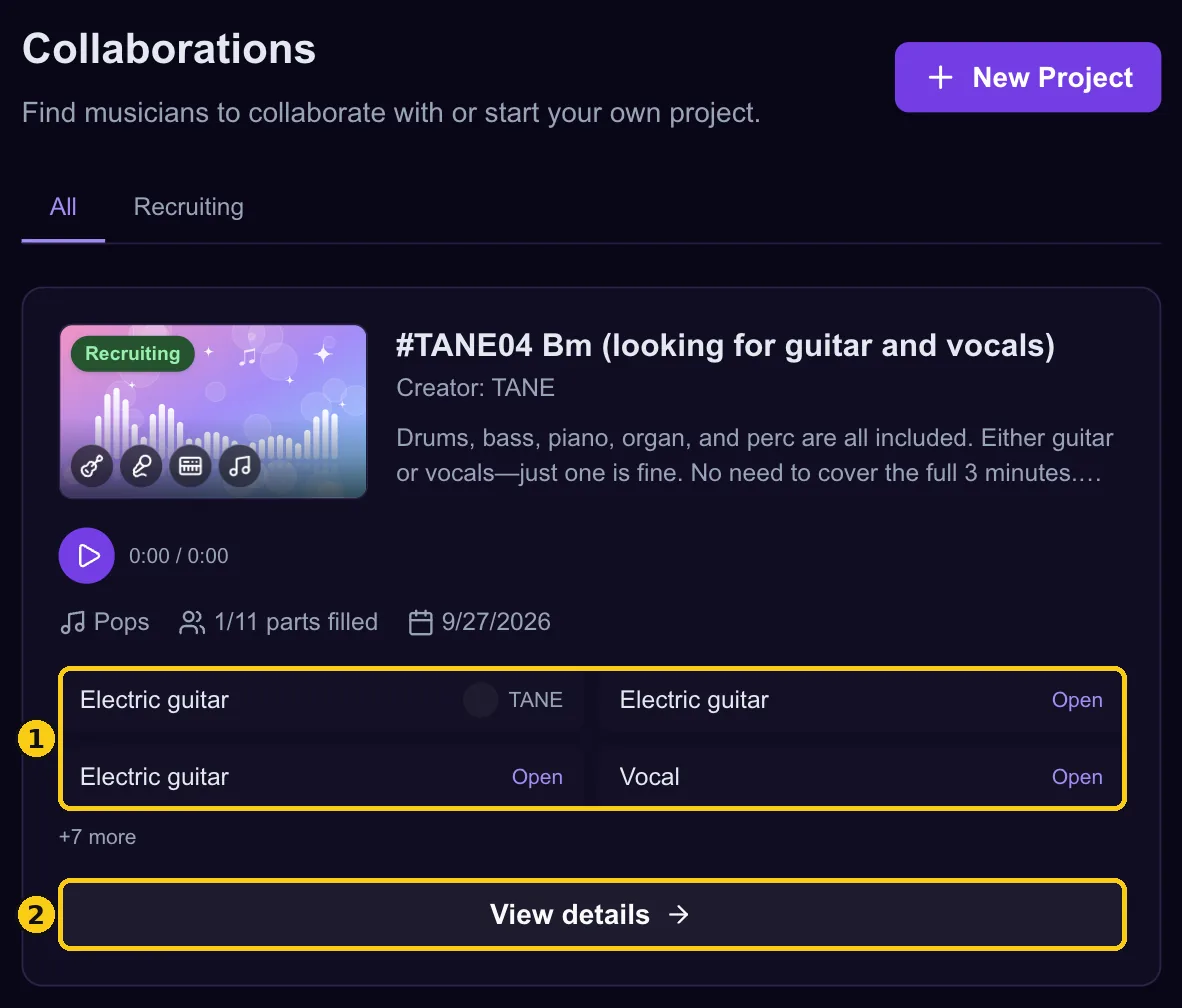
Open the Collaborations list and pick one that sounds interesting. Listening does not require an account. ① The parts are listed here. Slots marked “Open” are still available. ② Press “View details” to open the project page.
- 2
Step 2
Listen to the base track and read the brief
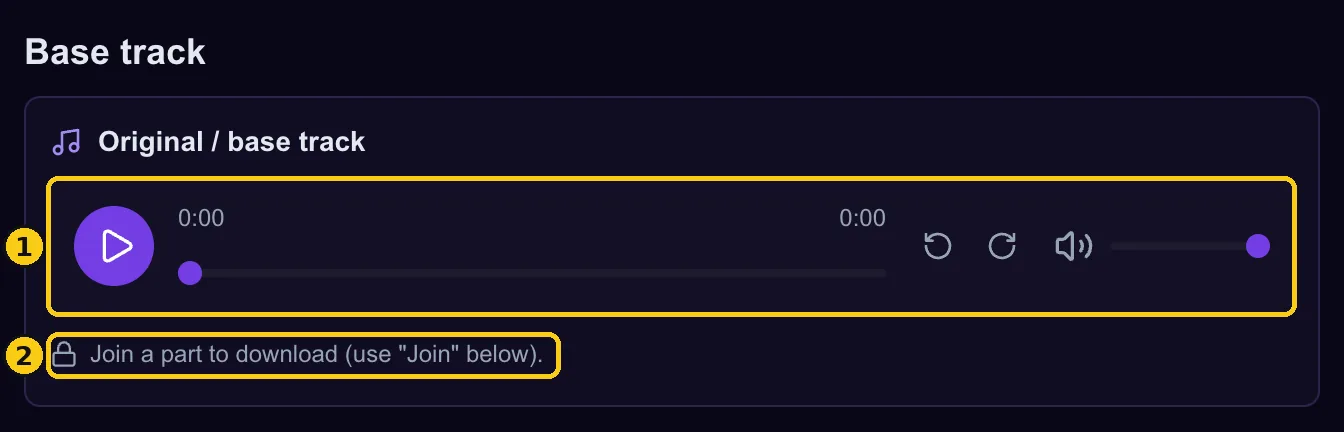
The project page shows the creator’s notes (tempo, key, structure and so on) and the base track. ① Anyone can play the base track right here. ② Downloading the audio is only for people who have joined a part.
- 3
Step 3
Press “Join” on the part you want
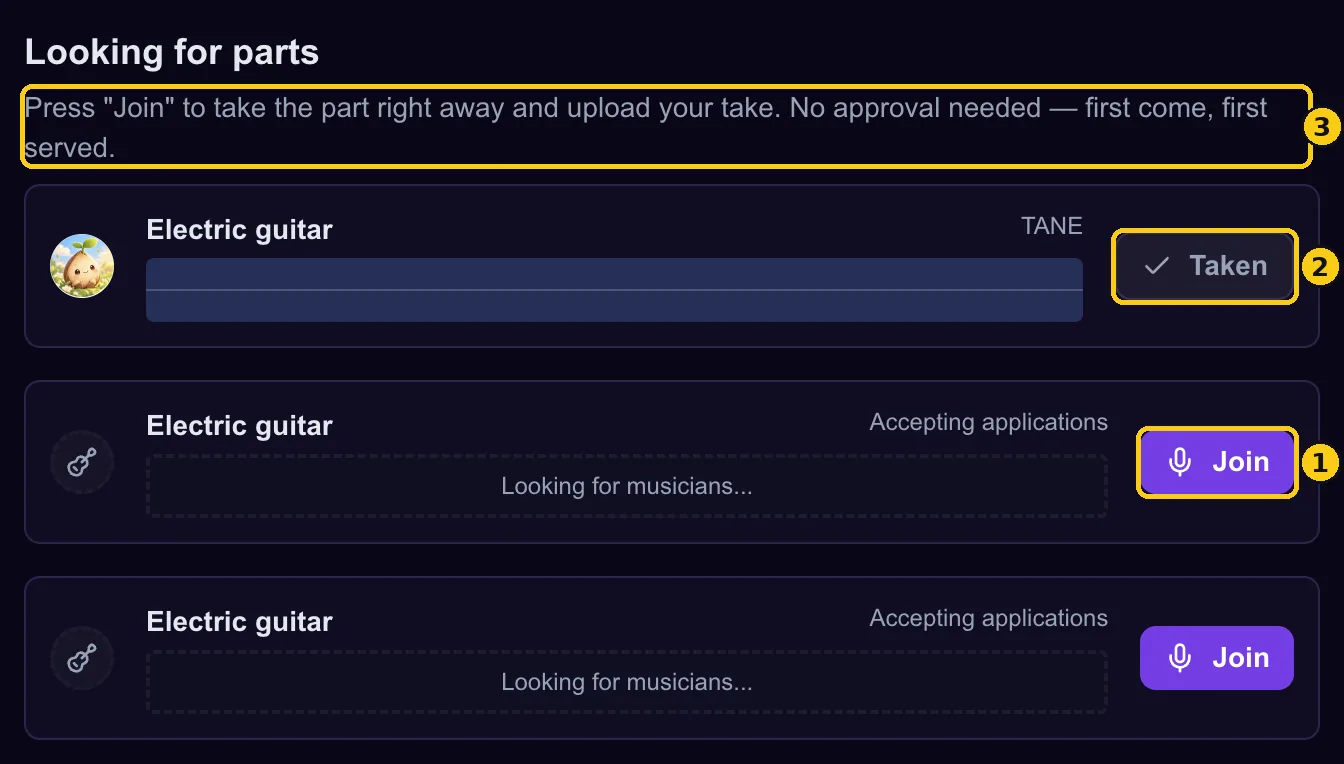
Under “Looking for parts”, choose the part you want to play. You need a free account to join (Google sign-in works). If you are not logged in, the button takes you to the login page. ① The moment you press “Join”, the part is yours. No approval needed — first come, first served. ② Parts someone has already taken show “Taken”. ③ This note means you can join instantly. You cannot take two slots of the same part in one collaboration, but you can take different parts.
- 4
Step 4
Check that the part is yours
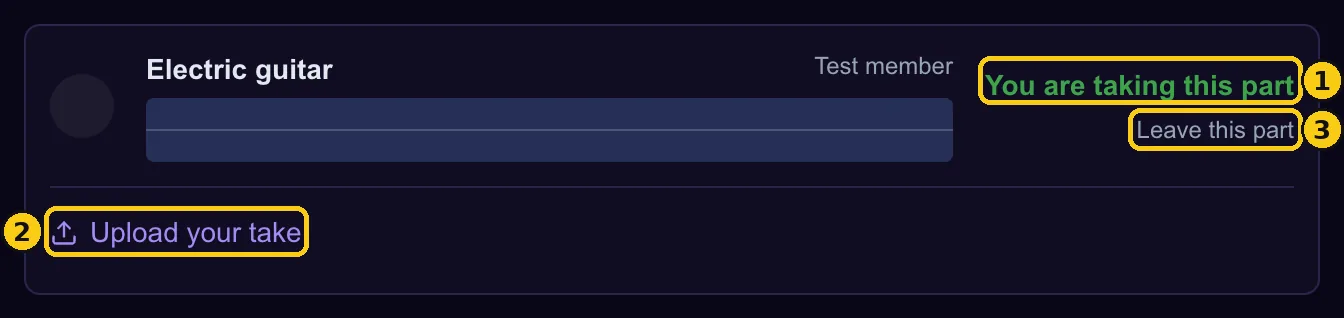
① “You are taking this part” means you are in. The creator gets a notification. ② This is where you upload your take (step 6). ③ Changed your mind? Use “Leave this part” → “Leave”. The slot opens up again.
- 5
Step 5
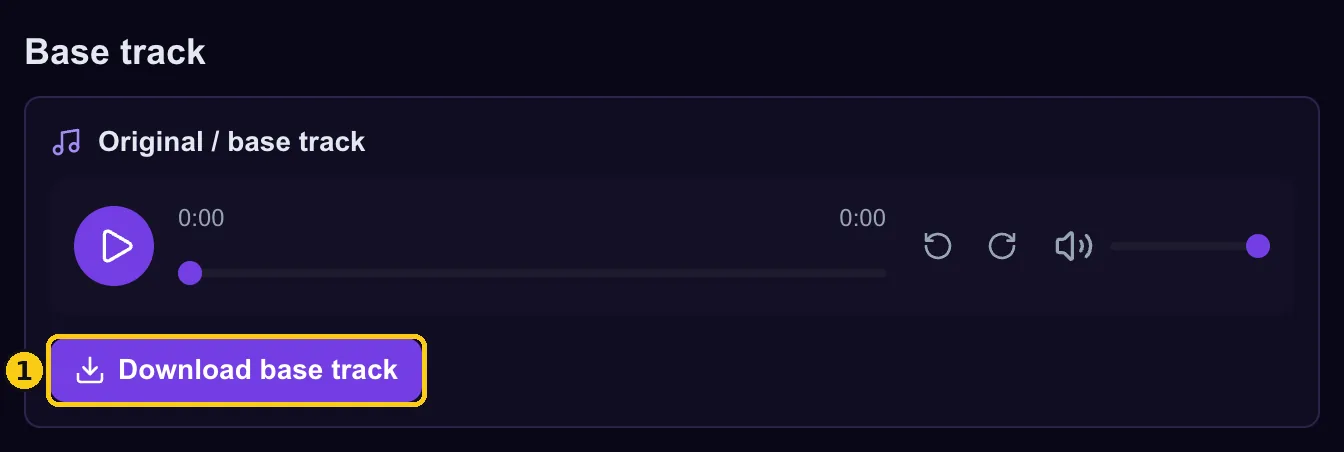
Download the base track
Once you have joined, a download button appears in the base track section. If the creator attached sheet music or other files, you can download those too (members and the creator only). ① “Download base track” gives you the original audio file. Record your part along with it in your own setup.
- 6
Step 6
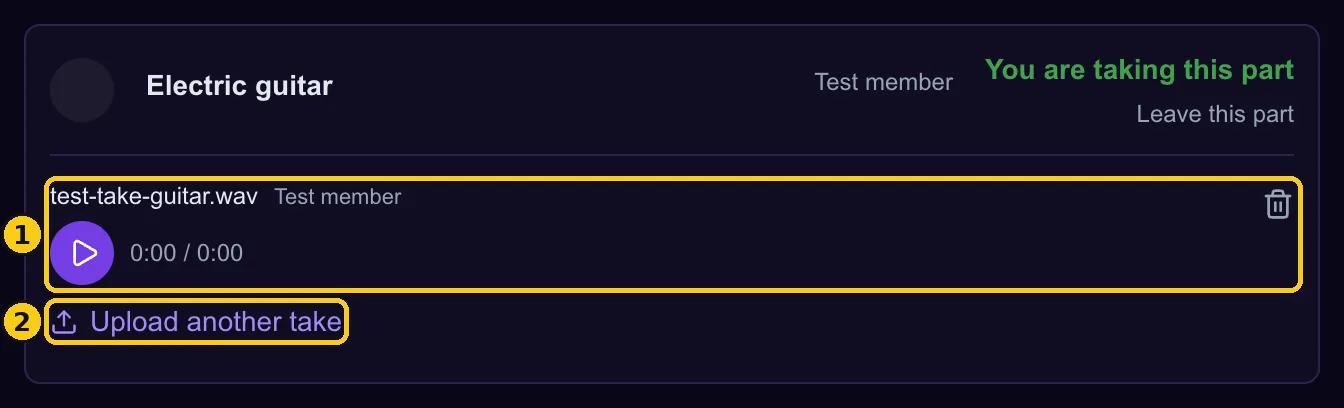
Upload your take
In your part, press “Upload your take” and choose your recording (MP3, WAV and other audio formats, up to 50MB per file). The creator is notified when it arrives. ① Your take can be played right away. The trash button on the right deletes it. ② Use “Upload another take” to add as many retakes as you like.
- 7
Step 7
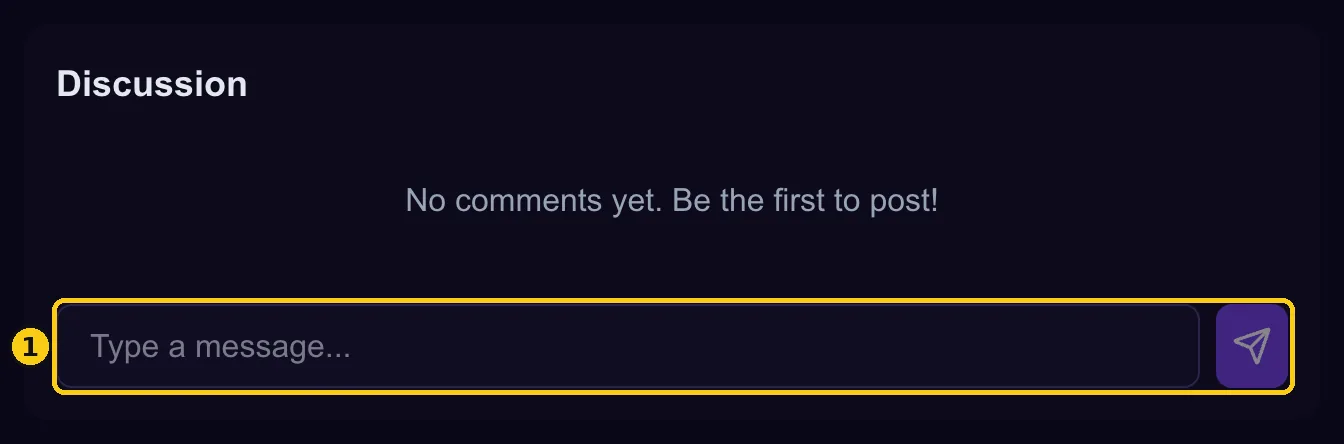
Talk it over in the discussion
At the bottom of the page, “Discussion” lets you talk with the creator and other members — arrangement ideas, feedback, anything. ① Type a message and press the button on the right to send it.
FAQ
- Do I need an account?
- Not for listening. To join a part, upload a take or post in the discussion, you need a free account.
- I pressed Join by mistake / I want to back out
- Use “Leave this part” → “Leave” and the slot opens up again. Takes you uploaded stay, so delete them with the trash button if you want them gone.
- Do I have to be good?
- Not at all. This is a test run — rough takes and partial ideas are welcome.
- Why are part names in English?
- Part names such as “Electric guitar” and “Vocal” are not translated for now, so everyone points at the same slot whatever language they use.
Ready? Have a look at what is open right now.
Browse collaborations